February 26, 2026
What Is a Vector File?
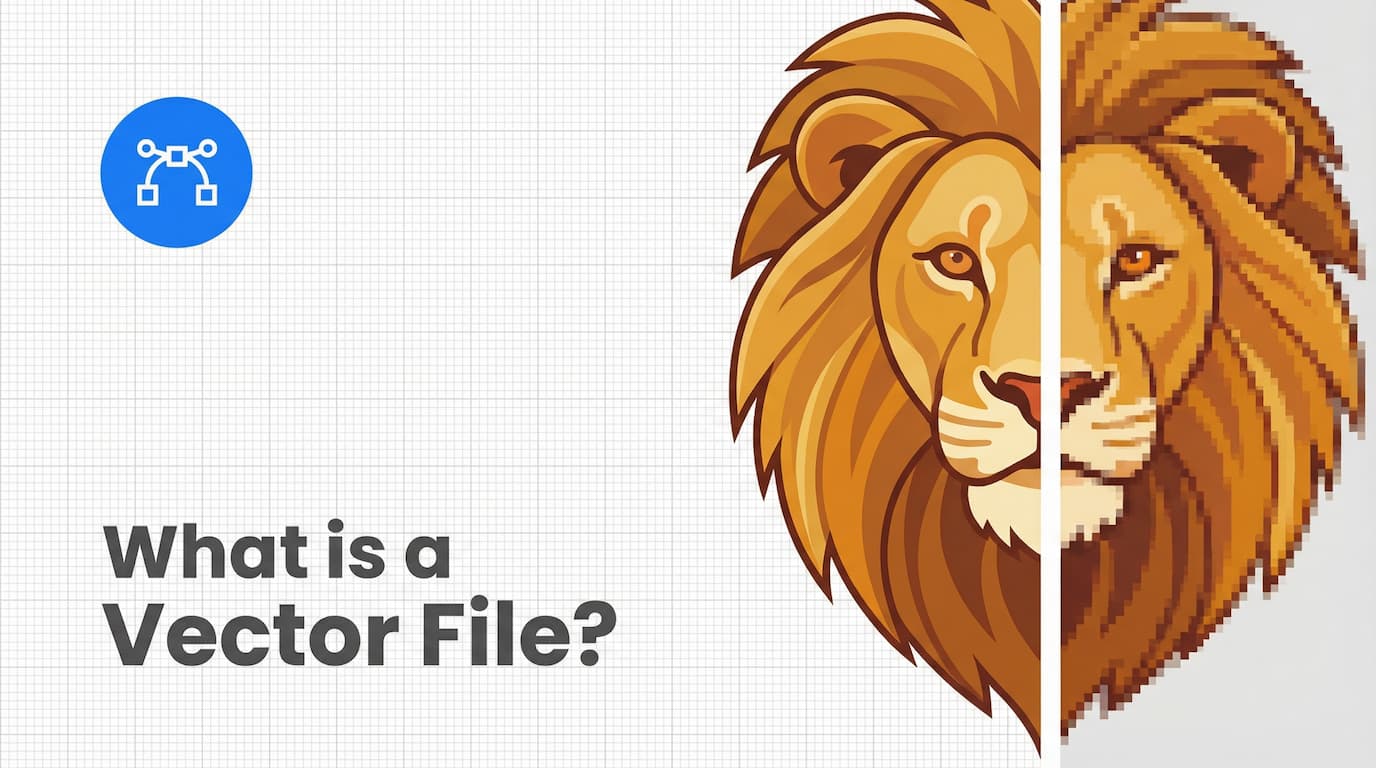
A vector file is a resolution-independent digital image built from mathematical paths instead of pixels, which allows it to scale infinitely without losing sharpness or clarity.
Unlike raster images such as JPG or PNG files, vector graphics are defined by equations that control points, curves, lines, shapes, and color fills. Because they rely on mathematical instructions rather than fixed pixels, they remain crisp at any size, from a small website icon to a 40-foot billboard.
Understanding vector files is essential for logo design, brand identity systems, printing, signage, packaging, and scalable web graphics.
What Is a Vector File in Technical Terms?
A vector file is a graphic format that stores visual information as mathematical formulas defining geometric shapes and paths .
Instead of storing millions of colored pixels, a vector file stores instructions such as:
Draw a path from coordinate (X1, Y1) to (X2, Y2)
Apply a Bézier curve
Fill shape with a specific HEX or Pantone color
Add a stroke with defined thickness
When resized, the software recalculates these formulas. No pixel stretching occurs.
This is why vector graphics are called resolution-independent.
How Vector Files Work
Vector graphics rely on 5 structural elements:
Anchor Points – Coordinate-based markers that define shape structure
Paths – Lines connecting anchor points
Bézier Curves – Mathematical curves for smooth scalability
Fills & Strokes – Interior colors and outline properties
Object-Based Editing – Each element remains independently editable
Because each component is mathematically defined, designers can:
Resize without blur
Change colors instantly
Modify shapes precisely
Reorganize layered elements
This makes vector files the foundation of professional design workflows.
Vector vs Raster
Understanding vector files requires comparing them to raster images.
Feature | Vector File | Raster File |
|---|---|---|
Built From | Mathematical paths | Pixels |
Resolution | Independent | Dependent on DPI |
Enlargement | No quality loss | Pixelation occurs |
Best For | Logos, icons, illustrations | Photography |
Editing | Shape-based | Pixel-based |
Common Vector File Formats
There are 5 primary vector formats used across industries:
1. SVG (Scalable Vector Graphics)
Web-friendly
Lightweight
Responsive
Editable via code
Best for websites and UI elements.
2. AI (Adobe Illustrator File)
Native to Adobe Illustrator
Industry-standard design format
Supports advanced layers and effects
3. EPS (Encapsulated PostScript)
Widely accepted by printers
Cross-software compatibility
Ideal for logo distribution
4. PDF (Portable Document Format)
Can contain vector or raster elements
Print-ready format
Universally compatible
A PDF is vector-based only if exported from vector artwork.
5. CDR (CorelDRAW File)
Native to CorelDRAW
Popular in signage and engraving industries
What Are Vector Files Used For?
Vector files are used anywhere scalability, precision, and production accuracy matter.
Primary Applications
Logo design
Brand identity systems
Packaging design
Large-format printing
Billboards and signage
Screen printing
Embroidery digitization
Vinyl cutting
Technical diagrams
Typography design
A single logo must appear consistently on:
Business cards
Websites
Social media profiles
Product packaging
Storefront signage
Vector files ensure consistent rendering in all contexts.
Why Printers Request Vector Files
Professional printing requires mathematical precision.
Vector files enable:
Clean color separation (CMYK or Pantone)
Die-cut packaging paths
Laser engraving outlines
CNC cutting guides
Screen printing layers
Vinyl cutting accuracy
Raster files cannot provide clean cut paths or infinite enlargement.
That is why print shops request EPS, AI, or vector-based PDFs.
Resolution & DPI
A frequent misunderstanding is applying DPI rules to vector graphics.
DPI (dots per inch) does not affect native vector files.
Resolution only applies when:
Exporting a vector file to JPG or PNG
Rasterizing a design for print
If a printer asks for “300 DPI,” that applies only to raster images.
Vector files do not have intrinsic resolution because they are mathematically defined.
Can You Convert a Raster Image to a Vector File?
Yes. And today, the process is faster and more accessible than ever.
Converting a raster image (JPG, PNG, WebP) into a vector file is called vectorization. Traditionally, designers relied on manual tracing in tools like Adobe Illustrator or CorelDRAW to vectorise an image. This often required rebuilding shapes, cleaning backgrounds, correcting distortions, and simplifying messy anchor points.
Now, AI-assisted workflows have changed that.
With ArtExtract.ai, you can:
Upload a flat raster image (PNG, JPEG, WebP)
Automatically convert it into clean vector paths
Download the result as an editable SVG or high-resolution PNG
Receive artwork on a transparent background
For simple logos, icons, and line-based artwork, the result often eliminates the need for manual tracing.
What Converts Well?
Vectorization works best for:
Logos
Icons
Line art
Flat graphic designs
Text-based artwork
Brand marks
These types of graphics contain defined shapes and clear color areas that translate cleanly into vector paths.
What Requires More Care?
Some artwork may require review or minor refinement:
Photorealistic images
Complex gradients
Highly textured graphics
Extremely low-resolution or blurry inputs
In these cases, AI can still generate a usable vector base, but professional review is recommended before production.
What About Product Photos?
If your raster file is a photo of a printed product, traditional vectorization tools are not enough.
ArtExtract.ai includes an Extraction + Vectorization workflow , which:
Pulls the artwork directly off the product photo
Corrects perspective and distortion
Removes fabric texture and lighting interference
Recreates the design as clean vector paths
This eliminates the need to manually isolate artwork before tracing.
Why This Matters
Print shops and production teams often receive:
Screenshots
Low-resolution logos
Photos of previously printed items
Customer-submitted artwork with backgrounds
Instead of redrawing everything manually, AI-assisted vectorization reduces turnaround time and prepress labor.
Strategic Advantages of Vector Files
Vector files offer advantages beyond resizing.
1. Scalability
Designs remain sharp at any dimension.
2. Production Compatibility
Supports engraving, cutting, printing, and embroidery workflows.
3. Modular Brand Systems
Enables:
Horizontal logo versions
Vertical lockups
Icon-only variants
Monochrome adaptations
4. Precise Editing
Each path and point remains individually adjustable.
5. Color Flexibility
Easily switch between RGB, CMYK, and Pantone color systems.
6. Performance Optimization
SVG files load quickly and remain sharp on high-resolution displays.
These advantages make vector files foundational in professional branding.
When Should You Use a Vector File?
Use vector files when:
Designing logos
Creating marketing materials
Preparing files for print
Building scalable UI systems
Designing icons
Creating infographics
Use raster images when:
Working with detailed photography
Editing complex textures
Producing realistic image compositions
Choosing the correct format prevents production errors.
Performance & File Size Considerations
Vector files are often smaller than raster images when artwork is simple.
However:
Excessive anchor points increase file size
Poorly traced artwork creates unnecessary path complexity
Professional optimization involves simplifying paths without altering visual quality.
SVG files are particularly efficient for web use because they:
Scale responsively
Support animation
Remain sharp on Retina displays
Frequently Asked Questions
What is the main difference between vector and raster?
Vector files use mathematical paths, while raster files use pixels. Vector graphics scale without quality loss.
Is PNG a vector file?
No. PNG is a raster format.
Is PDF always vector?
No. A PDF can contain both raster and vector elements.
Why does my logo look blurry?
Your logo is likely saved as a raster image instead of a vector file.
What is the best vector format for websites?
SVG is the most efficient vector format for web use.
Final Summary
A vector file is a mathematically defined, resolution-independent graphic format that scales infinitely without losing clarity , making it essential for logos, branding, printing, and scalable digital design.
Understanding vector files helps you:
Avoid pixelation
Work effectively with printers
Maintain brand consistency
Create scalable design systems
Optimize digital performance
If you manage visual assets professionally, vector files are not optional. They are foundational.